Introduction
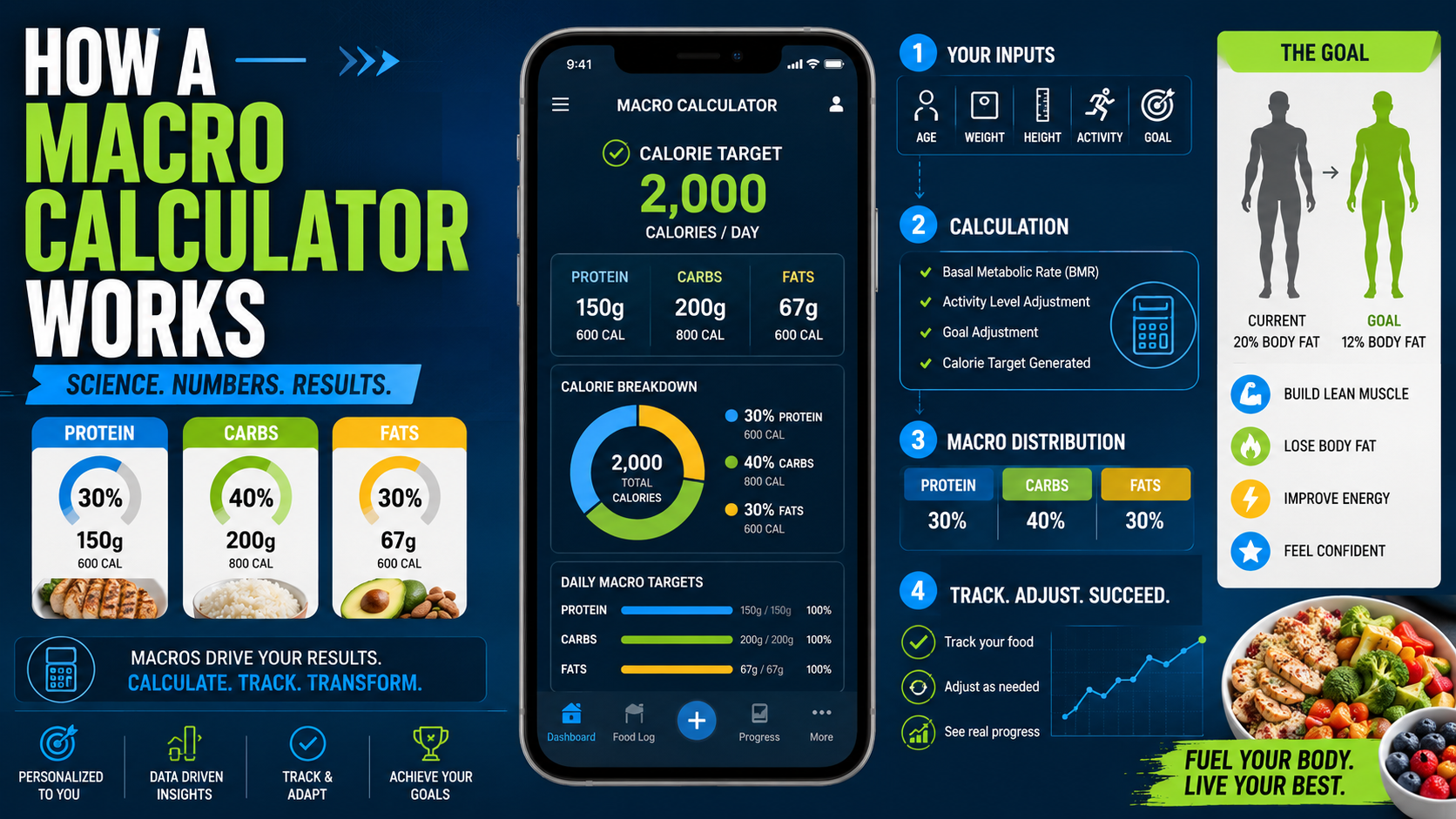
If you’ve ever searched for the best way to lose weight, gain muscle, or improve fitness, you’ve probably heard about macro calculators. But many beginners still wonder: how does a macro calculator actually work?
A macro calculator helps you determine how much protein, carbohydrates, and fats your body needs daily based on your fitness goals, body type, and activity level.
Whether your goal is fat loss, muscle gain, or maintenance, understanding macros can make your nutrition plan much more effective.
---
What Is a Macro Calculator?
A macro calculator is an online tool that estimates your daily macronutrient needs.
Macronutrients, also called “macros,” are the three main nutrients your body needs:
- Protein – helps build and repair muscles
- Carbohydrates – provides energy
- Fats – supports hormones and overall health
The calculator uses personal information like:
- Age
- Gender
- Height
- Weight
- Activity level
- Fitness goal
Based on this data, it estimates your calorie needs and divides them into macros.
---
How Macro Calculator Works
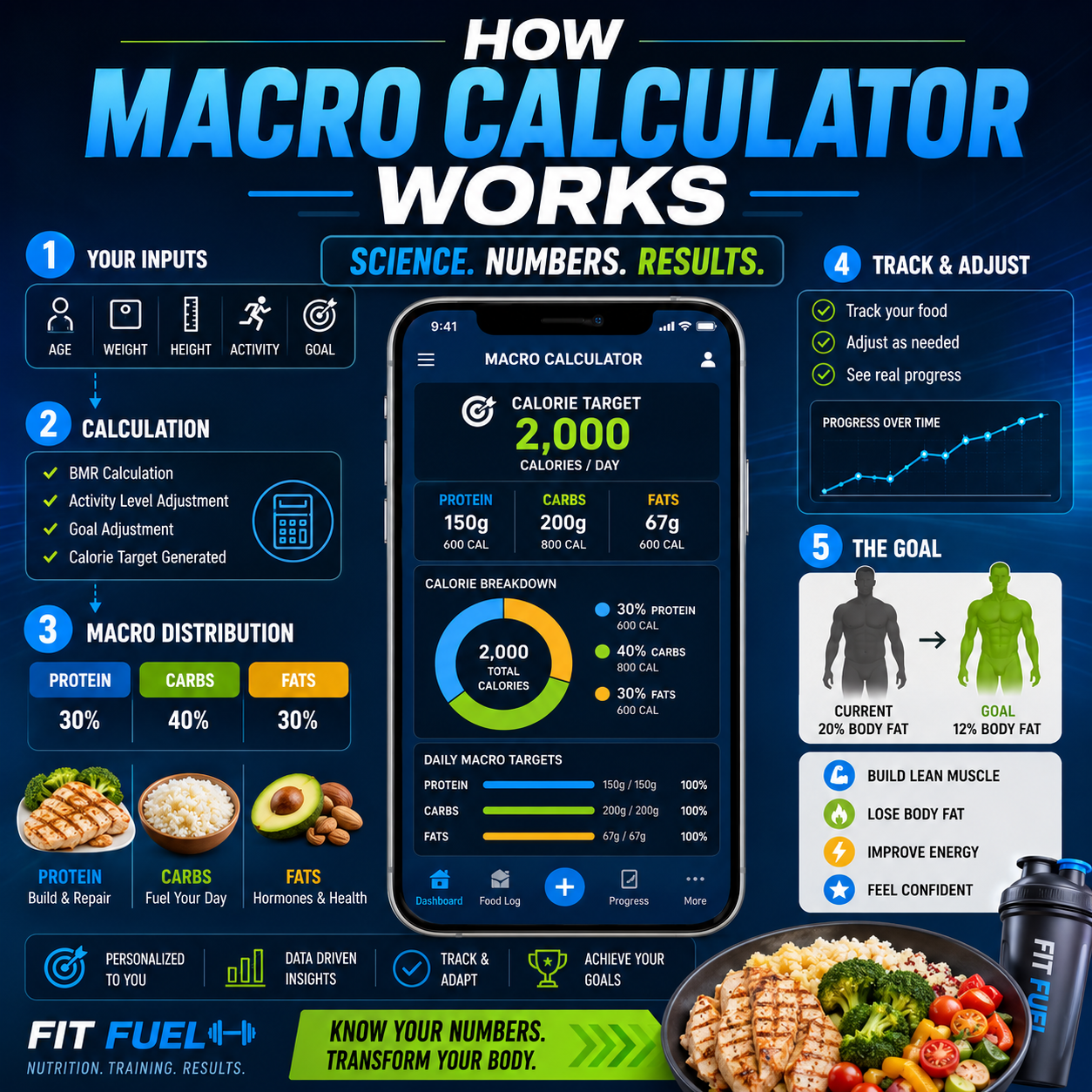
A macro calculator follows several steps to calculate your nutrition targets.
1. Calculates Your BMR
The first step is estimating your Basal Metabolic Rate (BMR).
BMR is the number of calories your body burns at rest to maintain essential functions like breathing and circulation.
Popular formulas used include:
- Mifflin-St Jeor Equation
- Harris-Benedict Formula
---
2. Adjusts for Activity Level
Next, the calculator multiplies your BMR by your activity level.
This gives your Total Daily Energy Expenditure (TDEE).
Activity levels usually include:
- Sedentary
- Lightly active
- Moderately active
- Very active
The more active you are, the more calories your body needs.
---
3. Applies Your Fitness Goal
The calculator then adjusts calories based on your goal.
- Weight loss: calorie deficit
- Muscle gain: calorie surplus
- Maintenance: balanced calories
This step helps personalize your nutrition plan.
---
4. Splits Calories Into Macros
Finally, calories are divided into protein, carbs, and fats.
A common macro split looks like:
- 40% carbs
- 30% protein
- 30% fats
However, the ratio can vary depending on your goals.
---
Benefits of Using a Macro Calculator
Helps With Weight Loss
Tracking macros helps control calorie intake more accurately.
Supports Muscle Growth
Protein targets ensure your muscles get enough nutrients for recovery and growth.
Improves Energy Levels
Balanced carbs and fats help maintain stable energy throughout the day.
Creates Better Eating Awareness
You become more mindful about food quality and portion sizes.
---
Common Macro Tracking Mistakes
Ignoring Portion Sizes
Many beginners underestimate calories from snacks and oils.
Eating Too Little Protein
Low protein intake can slow muscle recovery and increase hunger.
Not Updating Macros
Your macro needs change as your weight and activity level change.
Focusing Only on Numbers
Food quality still matters. Whole foods are better than processed foods.
---
Expert Tips for Better Macro Tracking
- Use a food tracking app consistently
- Measure food portions properly
- Focus on whole foods
- Drink enough water daily
- Track progress weekly, not daily
- Adjust macros gradually
---
Featured Snippet Answer
A macro calculator works by estimating your daily calorie needs using your age, weight, height, activity level, and fitness goals. It then divides those calories into protein, carbohydrates, and fats to help support weight loss, muscle gain, or maintenance.
---
Conclusion
A macro calculator is a powerful tool for anyone trying to improve fitness, lose weight, or build muscle. Instead of guessing what to eat, it gives you a structured nutrition plan based on your body and goals.
While macros are important, consistency matters most. Start simple, track your meals regularly, and make small adjustments over time.
---
CTA
Want to calculate your ideal macros instantly?
Use the FitWizard Macro Calculator to discover your personalized protein, carb, and fat targets for better fitness results.